Showing posts with label Around The Web. Show all posts

Sunday, 17 July 2011

This Blog Has Moved to NewTechPlanet.com


This site has moved to new self-hosted domain NewTechPlanet.com, please update your bookmars and RSS feed accordingly.

Follow us in Twitter
Follow us on Facebook

Wednesday, 29 June 2011

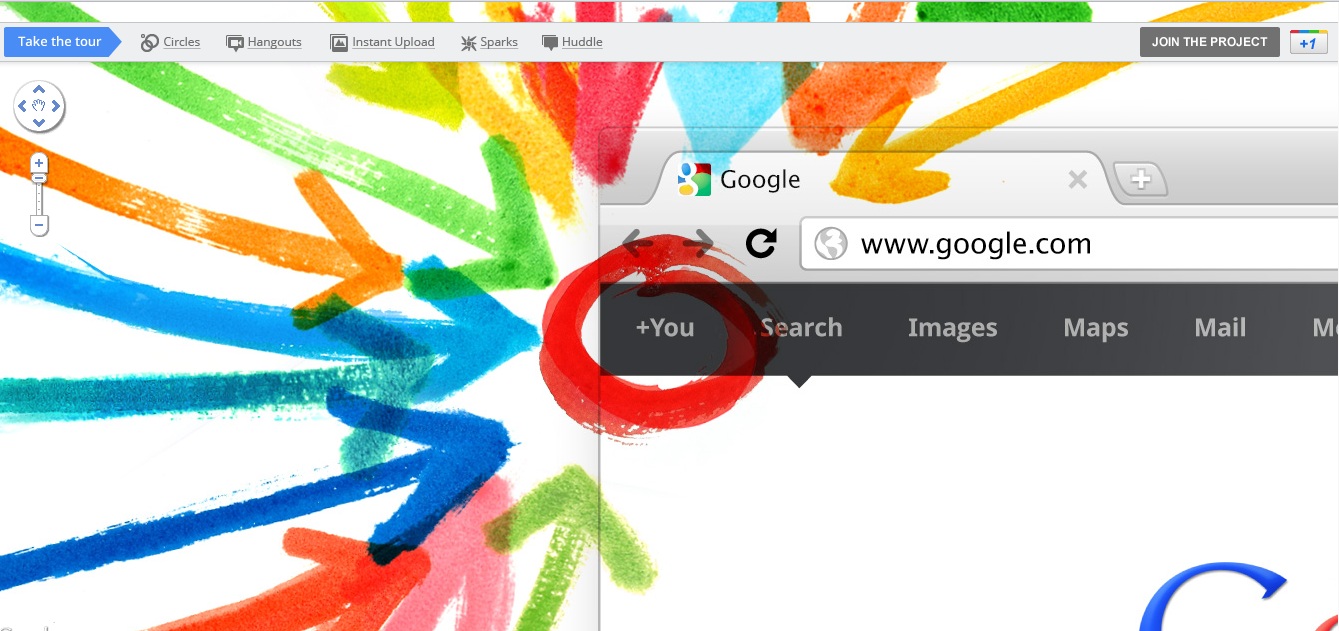
Google Announces Google+ Social Network to Compete with Facebook


Finally, Google has introduced Google+ social network as an answer to Facebook to take it down and to be the new king of social networks. Although Google have tried before with Buzz and Wave, however, both have failed to attract users to use them because of the limitation they got. Now, Google+ seems to be provide the ultimate social network  experience we have been looking and waiting for.

Google+ offer several unique features that we always wished to be available in Facebook, such as group chat, video chat and categorizing your friends into groups so we can share different thoughts to each set of groups. Here is a quick tour of some of Google+ features.


+Circle
As our relationship differs from one person to another, it would be great if we can control what to share and who to share. We normally share stuff with our closed friends and colleagues, but how about your boss?. You definitely wont share anything private with hem, and that's why Google+ introduced Circle, where you create different circles and add the appropriate type of people in each, so you can share the right stuff to the right people without a hassle.


+Hangout
It has been always to set up a meeting online with your friends, Hangout is Google's approach for unplanned face-to-face meeting. With Hangout, you basically says that you are a free and willing to hangout, so friends can stop by and have a video chat with you, also, all friends within a circle can join the chat and make it an amazing un-scheduled hangout !!.


+Huddle
Huddle is a group messaging experience featured by in Google+. All friends in a circle can chat, plan and schedule their activities to make it easy to coordinate with each other. Friends who didn't attend the active chat, can come later, review what happened and know what's going on.


+Mobile
With the increase use of mobile phone on our daily life, this gadget become a must-have accessory. It's always online, thus, ready to share location, messaging and videos with ease. With +Mobile, you can share the location when you post updates (up to you) so people can know where you are. Additionally, all picture and video taken by the phone's camera are  instantly uploaded to a private folder in your Google+ account, where you can set a permissions who can see them.


Availability
Google+ still in beta, and you cannot use it unless invited. If you need an invitation, like us on Facbook and Twitter and leave your email in the comments. (Sorry, Google has reached the threshold, we no longer able to send invitation)

Monday, 27 June 2011

How to Transform Windows 7 to Windows 8 UI with Zetro Theme


If you fed up from your Windows 7 interface and can't wait to test the new windows 8 Metro UI, then, the Zetro theme will get the job done for you.


Sunday, 26 June 2011

How to Create an Android App for a Website in Two Minutes

If you are a webmaster or just a normal person who want to build an Android app for his favorite websites without having to code, then, you should read this article. 

Wednesday, 22 June 2011

3rd Cloud Computing World Forum Review

I had the pleasure of attending the 3rd Cloud Computing World Forum which is taking place on the 21st - 22nd June 2011 at Olympia, London.

Sunday, 19 June 2011

5 Cool Features Facebook Should Introduce

With more than 700 millions users, our favorite social network is bringing us new features every often, we may like them, we may not. However, there are some cool feature we would love Facebook to introduce. Let's see if you agree with my suggestion.

Sunday, 12 June 2011

Best 5 Google Chrome Extensions

Once Google Chrome added Extension support to its browser, it attracted a huge number of developers, and now, Chrome web store, is becoming extremely huge with hundred of thousand of useful extensions. From all theses extensions, I have picked up 5 of the most interesting extension for everyday surfing.

Saturday, 4 June 2011

Run Android on Windows using Vmware

As many people prefer to use Android OS before they buy an Android Tablet, I have made a short video tutorial showing in step-by-step how to run Android on Windows using Vmware.

These steps can be used to run Android on Linux using VirtualBox.

You can also refer to this post for more option on how to run Android on Windows.

Also, some companies start rolling out their dual-boot tablet which can run Android and Windows such as ViewSonic ViewPad 10 Pro.


Tuesday, 31 May 2011

Best 5 Free Online Storage Services


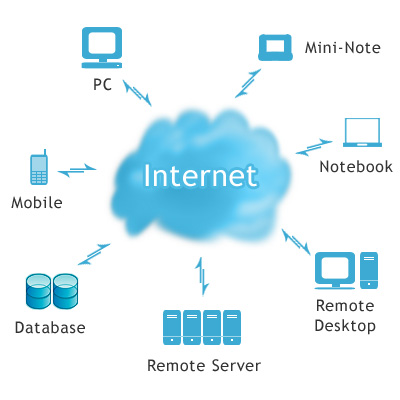
Wouldn't be nice to have an Internet hard drive and be able to access your files on the move, anywhere and from any computer. Fortunately cloud storage services are there to address this issue.

Nowadays, there are many online storage providers around and most of them are free (or cheap) and easy to use. Furthermore, most of them provide sharing features, online editing and viewing and most importantly, backup functionality.

Among the vast number of these providers and the services they provide, it's hard to judge which one is the best to rely on, but here's a review of the most favorite free cloud storage services.

DropBox

On of the most favourite online storage providers, it has been around for more than 13 years, so it's trustworthy.
Dropbox provide you with a desktop client you install which create a folder on your computer where you put all files you want to sync online. 
This folder can also be be shared with other computers and mobile phones. For instance, whenever you update that folder using your mobile, it'll immediately sync with other machines so you always have up-to-date version.
The impressive feature with Dropbox, that it preserve every previous versions of your files, so if you have done something wrong with your files, you can easily retrieve your correct old version.
Dropbox offer 2GB for free with a maximum file size of 350 MB. The storage space can be extended to 2.25 GB if you complete 7 basic step when you first get started with Dropbox. Also they give you 250MB (up to 8GB) for every friend you refer to them.
Another good point for Dropbox, that it's support Windows, MAC, Linux, Android, iPhone, iPad and BlackBerry. Dropbix also signed a deal with Sony Ericsson in June,2nd,2011, so it'll be pre-installed in the upcoming phones.

Microsoft SkyDrive

Windows Live Skydrive is one of the most popular and concise cloud service from Microsoft. Skydrive offers huge 25 GB free (50 MB max file size) storage and full integration with other Windows Live services.
With SkyDrive, you don't need to install a desktop client, alternatively, you can access it using web browser providing your Live ID and password, then you just drag & drop files into the web browser window. Also, you can share your files, make them private or views pictures and documents. Unlike the other online storage where you can only have a copy of your files, SkyDrive gives you the ability to create or edit your documents on the go. No syncronization capability is available with SkyDrvive, however, Windows Live Mesh can be used to synchronize your files up to 5GB (Unfortunately Mesh is only available on Windows). Another downside of SkyDrive is the lack to support directory/folder upload.

StoreGate

StoreGate offers 1 GB free space where you can store your documents, files, pictures safely with a daily-basis backup feature. Users can share and access their files from virtually anywhere even from your mobile phone.

StoreGate services are very impressive specially the upload speed and large file support. One of the most attractive feature StoreGate provide is the ability to backup your mobile contacts and calender.

ADrive

ADrive is the most generous cloud provider yet, it gives you hefty 50 GB for FREE !!. It also support directory upload, FTP transfer and sharing option for your files.

The only downside of ADrive is the incient interface, it does not look like a modern service, however, the compelling service may attract you to give it a try.


SugarSync

One of the best ever. SugarSync offer 5GB free online space with beautiful website interface and desktop client workable on Windows and MAC. It also support mobile access from all mobile platforms (Android, iPhone, iPad, Symbian, BlackBerry and Windows Mobile). Another nice feature is the ability to share files via social networks such as Twitter and Facebook.


Monday, 30 May 2011

Run Android on Windows with BlueStacks


Have you been struggling to decide between Android or Windows!! well, with BlueStacks, you can have them both.

The idea behind BlueStacks is to have applications developed for different operating systems to run simultaneously side-by-side on the same computer.

BlueStacks run Android OS and its Apps on Windows-based PC by virtualizing Android using lightweight and optimized Hypervisor. Users can choose between installing Android app directly to their Windows desktop or alternatively, having the full-blown Android environment where they can instantly switch to Windows environment with one click, which eliminate the need of carrying Windows and Android devices.

Key Features
  • Simultaneously run Android on Windows PC.
  • Support of Android apps, users can search, downlaod and install apps from varity of App stores such as AmazonAppStore, GetJar and SlideME.
  • Paid app from AmazonAppStore can be shared to multiple PCs.
  • Seamless experience, users can switch between Windows and Android in on touch.
  • Support wide variety of peripherals to be used in Android such as USB, camera and printers.
  • Flash contents can be played, which is not full supported by Android yet.


Availability
BlueStacks software is not available yet, however alpha testing will begin this summer. You can sign up for Alpha version from BlueStacks website, and they will send you the Beta once it's ready for testing.

Drawbacks:
The only downside I can see is the lack of supporting Android Market. App from Android Market cannot be installed on the virtualized Android.

Future Look A Head
BlueStacks technology is very impressive and flexible as it support many different combination of operating systems. Currently, it support Android on Windows, furthermore, in the near future, it will support Android on Windows 8, Android on Chrome OS and surprisingly,  Windows on Android !!.


Thursday, 26 May 2011

Send Handwritten Notes to Internet using Livescribe Smartpen

Have you ever dreamed that you could write or draw in piece of paper and send those handwritten notes straight to the Net without having to scan, convert and upload them to Google Docs or whatever cloud service you use. Now, this dream came ture using Livescribe SmartPen.

What is Livescribe Smartpen?

Livescribe Smartpen is like any other normal pen, but it has got a micro computer in it that record everything you write. Not only this, it also record surrounding sounds which would be very useful if you listening to your tutor while drawing some relative diagrams. 


Later, if you want to revise your notes, all you  have to do is to tap the notes and the recoding will playback. If you want transfer them to your computer, just connect the USB cable, and your notes will be transferred on the go to Livescibe Software where you can organize, browser, search and even transcribe them to a digital text.
 
With Livescribe, users can share their notes to Email, Facebook, Google Dos, Evernote and Mobile devices simply by drawing a line, writing a destination (such as Email), tapping on the pages to be sent and then selecting the recipient Email address; next time the Pen is connected to the computer,  notes and audios will be transferred to the desired destination.


Key Features:
  • Recording handwriting and surrounding sounds.
  • Share to most popular platforms such as  Email, Facebook, Google Dos and Evernote.
  • Up to 8GB storage space (2GB and 4GB are available too).
  • Built-in Apps with the Pen such as Translation, Wikipedia, Dictionaries, etc
  • Easy transfer between Samrtpen and PC.
  • Powerfull Livescribe software that let you organize, search and share you notes.(Support Windows or Mac)
Prices:

Livescribe prices start from $99.95 for the 2GB Echo model, $137.02 for 4GB Echo and goes up to $180.77 for the 8GB Echo . However, these Smartpens are only compatible with a special kind of notebooks.

     Livescribe 2GB Pulse Smartpen (APA-00002)                     Livescribe 4 GB Echo Smartpen

Drawbacks:
  • It has to be used with a special type of paper.
  • No Wireless support, USB is needed when transferring files to PC.

Friday, 20 May 2011

Gtalk and AIM Integration is Now "unofficially" Live.


Google and Aol seems to silently rolling out their integration for Gtalk and AIM. It has not been officially announced, however, if you check your Gmail chat or AIM chat, you will notice that you can add your contacts from either services to the other. The the integration have started just after the announcement a while ago, yet at some points it did not work. Now, we can gain access to this service, making life easier for us to stay better connected as you can chat to all your contacts without having to sign in and out.

Check  out the short video which clarify the steps required to integrate gtalk with AIM.


Monday, 16 May 2011

Hotmail: How to Link Email Accounts Together

Most of us have multiple Email accounts, whether in Hotmail, Live or other Email service providers, however, all of us want to easily access them all in one place rather than jumping between one website to another. 
You may think that Outlook, Windows Live Mail and the new EmailTray offer this service, yet, this option is only availabe when using our own computers or laptops; so what if we were using a computer in a university or an Internet Cafe!!

Fortunately, Hotmail offers a way to link all your Hotmail and Live accounts so you will be able to access them all at one go. For instance, f you have abcd@hotmail.com and efgh@live.com accounts, you can easily access the latter one from the former one.

Please, follow the next tutorial to have a clear idea on how to link all your Hotmail accounts in one place.


How To Save Webpages to be Read Later at Your Convenience Using PC or Android Device


Sometimes when you do your routine check on the net, you come across some websites that attract you, yet, you do not have the time to read them. Similarly, if you use your mobile for surfing, you might face the same situation. 

If you search the web for a solution, you may find a browser extension that do so such as Firefox or Chrome Read Later exttension, but what about having all you saved pages from you PC, Laptop or smartphone at one place!!. In fact, that is what Instapaper.com do. It provides a simple way of saving and synchronize all your wanted webpages at their servers, using their website for PC ad laptop user and their mobile app for smartphone.

The following tutorial guide you to how to use Instapaper website and their Android app.


Saturday, 14 May 2011

The best PDF Creator: How to Easily Convert Any File to PDF


Most of us do internet shopping and purchase wide variety of products, so what if you want to have an electronic copy of your transaction receipt, in fact , the best format for such a copy is pdf. Dopdf software, made this an easy task, as you can instantly convert any webpage or office documents to pdf  format, instead of buying the expensive Adobe Acrobat Writer or any other similar products.

The steps to do so are very easy and straight forward, all you have to do is to install dopdf software, which will install a virtual printer in your system, and then, whenever you want to convert files to pdf, just click on Print and choose dopdf printer to convert your files to pdf.

Dopdf support many document tyoes such as DOC,DOCX, PPTPPTX, XLS, XLSX, PUB, PUBX, HTML, TXT as well as supporting about 20 different languages.

Watch the short video tutorial to make even clearer for you how to convert webpages to pdf.


Friday, 13 May 2011

Watch Live Football Online Free in HD


You might be Manchester United fan, Real Madrid or even Barcelona fan, you might hope to watch all your favourite club's games, but to subscribing to paid channel will cost a fortune!!

Here is a quick step-by-step guide showing you in brief how to watch football games online, in HD quality.

1- You have to download and install Sopcast software, just search for it in Google or download it from this link.

2- If you are using Google Chrome browser, go to Settingt>Tools>Extension and search for and install Chrome Live Football add-on. After installation, tab to Chrome Live Football icon and then click on Live Stream button, this will list all today's matches. Click on the game you want to watch and select the Sopcast link.

3- If you didn't find your game or you are not using Chrome browser, Myp2p website provide you with the latest link for all current matches, just choose your match and select the Sopcast link. You will find a bit rate next to every link, the higher the better and the more quality; basically, any link above 700 Kbps is considered HD.

If you don't fancy reading, just watch the video tutorial underneath.


For Manchester United fans, there is a fantastic page on facebook that provide all Manchester United goals once they have been scored @ Manchester United Goals

I hope you find this article interesting

 
Design by Free WordPress Themes | Bloggerized by Lasantha - Premium Blogger Themes | Grants For Single Moms